LinkedIn profile optimization for freelancers: get clients from your profile
A LinkedIn profile checklist for freelancers who want clients: headline, about, featured work, activity and the first message, with examples.
Most LinkedIn advice is written for job seekers. A freelancer has a different goal: when a potential client lands on your profile, they should understand in five seconds what you do, who you do it for and how to start working with you. Everything below serves that one goal.
This is the checklist we use ourselves at ClientoraHQ, with examples you can copy and adapt.
Why your profile matters more than your posts
When you comment on someone's post or send a connection request, the first thing they do is open your profile. If it reads like a CV ("Seeking new opportunities", a list of every tool you know), a buyer leaves. If it reads like a service ("I build booking websites for clinics, here are three"), they keep reading.
So optimize the profile before you start reaching out. A great message sent from a weak profile gets fewer replies than an average message sent from a clear one.
1. Headline: who you help and with what
Your headline appears next to every comment and message. Use it to say who you help, not your job title.
- Weak: Full-Stack Developer | React | Node | MongoDB
- Better: I build fast websites for restaurants and clinics | 15+ live sites | Lahore & remote
- Better (agency): Helping small agencies deliver websites on time | white-label development
Rules of thumb:
- Lead with the customer and the result, then the proof.
- Keep the first 60 characters strong: that is all people see on mobile.
- Avoid "aspiring", "passionate" and "open to work" if you want clients rather than employers.
2. About section: the problem, the result, the next step
Write it as a short sales page in plain words, not a biography.
- One line about the client's problem: "Most clinic websites are slow, and patients call the competitor instead."
- What you do about it: "I build simple, fast websites with online booking and WhatsApp buttons."
- Proof: two or three real projects, with what changed for the client. Only real results; never invent numbers.
- How to start: "Send me a message with your website and I'll send you three free fixes."
Keep it to 150–250 words. Use short paragraphs; most people read LinkedIn on a phone.
3. Featured: show the work, not the certificates
The Featured section is the most underused space on a freelancer's profile. Put the three things a client wants to click:
- A case study or a live project link.
- A short video walking through your work (a 60–90 second screen recording is enough).
- A free resource that shows your skill, such as a checklist or a free audit offer.
4. Experience: list clients and projects, not duties
Instead of "Responsible for front-end development", write:
- Bakery website for [client type], Lahore: menu, online orders on WhatsApp, Google listing set up.
- Booking system for a dental clinic: patients book online; the front desk gets fewer calls.
If you are just starting, list your own projects or sample work honestly as "personal project" or "sample".
5. Photo, banner and contact info
- A clear, friendly face photo. No logos in the profile picture if you sell yourself.
- A banner that repeats your offer in one line, with your website.
- Contact info: your website, your business email and, for local clients, WhatsApp.
6. Activity: comment where your buyers are
A good profile still needs people to see it. The fastest way is not posting every day; it's commenting usefully under your buyers' posts. When a clinic owner posts "our phones never stop ringing", one helpful comment from a clinic-website freelancer brings that owner straight to your profile.
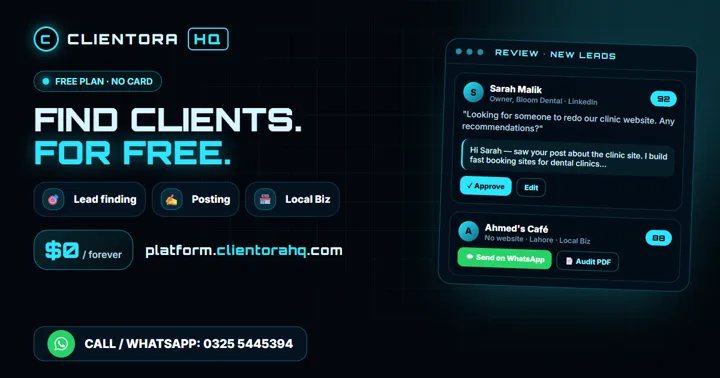
To find those posts, search LinkedIn for phrases buyers use ("need a website", "looking for a developer", "recommend a designer") and sort by latest. A tool like ClientoraHQ does this search for you, scores each post and drafts the comment and DM, which you approve before anything is sent.
7. The first message after they view your profile
Keep it short, about them, and with one easy question:
Hi Sara, saw your post about the new branch opening. Do you already have someone for the website, or are you still looking?
No pitch, no links in the first message, no "I hope this finds you well". If they reply, then share your work.
A 10-minute LinkedIn profile checklist
- Headline names your customer and the result, not just your job title.
- About section: problem, what you do, proof, next step.
- Featured: one case study, one video, one free offer.
- Experience lists projects and outcomes.
- Clear photo, banner with your offer, website in contact info.
- Five useful comments a day under posts from your buyers.
FAQ
How do freelancers get clients on LinkedIn?
By making the profile read like a service, then commenting helpfully under posts from people who need that service and sending a short, personal first message. Clients come from conversations, not from the profile alone.
What should a freelancer write in the LinkedIn headline?
Who you help and what result you deliver, followed by proof: for example "I build fast websites for restaurants and clinics | 15+ live sites". Avoid a plain list of skills or tools.
Should freelancers use LinkedIn Premium or Sales Navigator?
Not at the start. A clear profile and daily useful comments bring more conversations than paid search. Consider Sales Navigator later, once you know exactly which buyers reply.
How many connection requests can I send a week?
LinkedIn limits invitations, and sending too many gets accounts restricted. Stay well under 100 a week, send them with a short personal note, and focus on people who have shown a need.
Is it safe to use automation on LinkedIn?
Tools that log in from a server or send messages in bulk put your account at risk. Safer tools work in your own browser at a human pace and never send anything without your approval.