How to find clients for web design: 9 ways that work in 2026
Nine practical ways to find web design clients, from local businesses without a website to people asking for a designer on LinkedIn, and what to say.
Most web designers don't struggle with design. They struggle with the part before it: finding people who actually need a website, at a time when they're ready to pay for one. The good news is that these people are easy to find once you know where they leave clues.
This guide covers nine ways to find web design clients, roughly in the order we'd try them if we were starting today. Each one says who it suits, what to send and what to avoid.
1. Local businesses with no website (or a weak one)
Thousands of small businesses still have no website: clinics, salons, bakeries, plumbers, tutors. Many others have a site that takes ten seconds to load on a phone or still says "© 2018".
How to find them: search Google Maps for a business type and a city, and note which listings have no website link. Or use a free businesses-without-a-website finder: pick a type and a city, and it lists the ones with no website on the map.
What to send: one short, specific message. Not "I can build you a website", but what you noticed and one idea:
Hi Sara, I was looking for a dentist in Didsbury and saw Smile Studio has no website on Google. Most patients book after checking a site on their phone. I make simple one-page sites with a booking button; happy to send an example?
Skip: mass emails to scraped lists. They're ignored, and in the UK and EU they can break the law.
2. People asking for a designer on LinkedIn, Facebook and Instagram
Every day, founders and shop owners post things like "looking for someone to redesign our site" or "can anyone recommend a web designer?". These are the warmest leads you'll ever get: they've already decided to spend.
How to find them: search LinkedIn posts for phrases buyers use, such as "need a website", "looking for a web designer", "website redesign" and "recommend a developer". Filter by the last week. Do the same in Facebook groups for small business owners in your city.
What to send: a helpful public comment first, then a short DM that mentions their post. Our guide to finding clients on LinkedIn has examples.
3. Offer a free website audit
An audit is the easiest way to start a conversation without a hard pitch. You show a business owner what's costing them customers, strengths first, then two or three fixes.
Run their site through a free website audit tool, add your own notes and send a one-page summary. Our website audit checklist includes a short report template you can copy.
4. Ask past clients for one introduction
Your happiest clients know other business owners. Don't ask "know anyone who needs a website?". Ask for something specific: "Do you know one other café owner who'd want online orders like yours?" A named, specific ask gets far more yeses.
5. Partner with people who serve the same clients
Photographers, printers, accountants, social media managers and marketing freelancers all meet businesses that need a site. Offer them a referral fee or swap referrals. One good partner can send you more work than a month of cold outreach.
6. Pick a niche and show work for it
"Web designer" is crowded. "Websites for physiotherapy clinics" is not. A niche makes your portfolio, your messages and your price easier to trust. Build two or three sample sites for that niche, even unpaid ones, and lead with them.
7. Freelance platforms, used carefully
Upwork, Fiverr and Freelancer.com have real buyers, but also hundreds of bids per project. Bid early, on projects with a clear brief and a client with a payment history. Write about their project, not about yourself. Skip vague, low-budget listings that ask for "a full app like Instagram".
8. Write about the problems your clients search for
Business owners search for things like "why is my website slow" or "how much does a website cost in Lahore". A short, honest article answering one of those questions brings people who are already thinking about a website. It's slow to start, but it keeps working.
9. Follow up, politely, twice
Most replies come from the second or third message, not the first. Follow up after three or four days with something useful (an example, a quick tip), then once more a week later. After that, stop.
What to avoid
- Templates that could go to anyone. If your message works for every business, it works for none.
- Leading with price. Talk about what the site will do for them first: calls, bookings, orders.
- Criticising a site harshly. Owners are proud of what they built. Strengths first, then fixes.
- Messaging without permission where the law requires it. Check the rules for cold email in your client's country.
Doing this every day without it taking all day
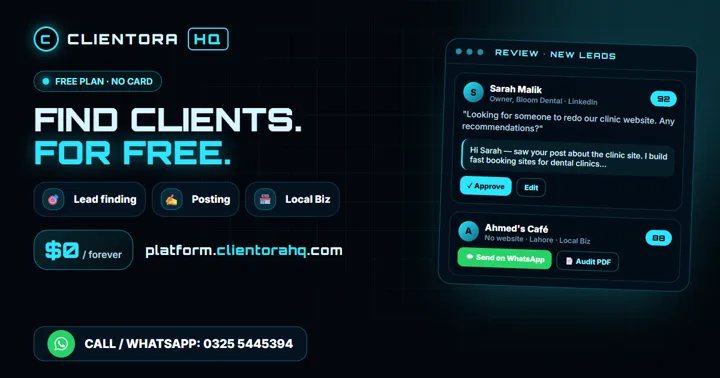
The methods above work, but finding the leads is slow: scrolling LinkedIn, checking Maps listing by listing, auditing sites one at a time. ClientoraHQ does that part for you. It finds people asking for a web designer, local businesses without a website, and audits weak sites, then drafts a message you approve before anything is sent. There's a free plan to try it.
Quick answers
What's the fastest way to get a first web design client? Local businesses without a website, contacted with one specific, friendly message. They need you and there's little competition.
Should I work for free to get started? Build two or three sample sites for a niche instead. You get a portfolio without undervaluing your work for a real client.
How many messages should I send a day? Ten thoughtful, personal messages beat a hundred templates. Quality gets replies; volume gets you blocked.